Question: How do I change the watch face on the V-Fitness Kids Smart Watch?
Answer:
Model reference: VF-M4KFYPK-193 (Pink), VF-M4KFYBK-186 (Black)
Applies to: VF-M4KFYPK-193, VF-M4KFYBK-186
If your SKU differs, search our support page by your Model SKU to find the correct article.
You can change the watch face in several ways:
1. Press and hold the current watch face, then choose an available watch face.
2. Open Settings on the watch, then select Watch Faces.
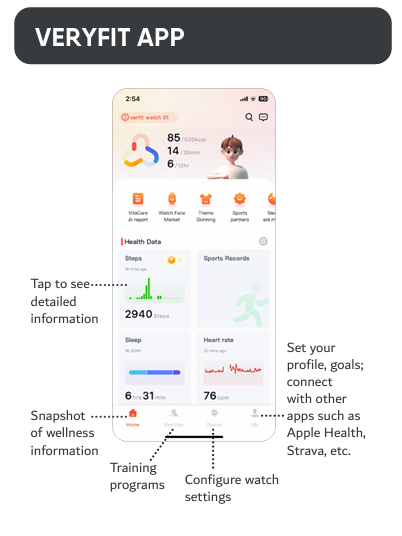
3. Open the VeryFit app, go to Device, then use the Watch Face Market.
You can also use these basic touch controls:
- Swipe right to return to the previous screen.
- Swipe left or right to view activity information.
- Swipe down to open Control Centre.
- Swipe up to view notifications.
This applies to the V-Fitness Kids Smart Watch with Apple Find My.
Was this article helpful?
That’s Great!
Thank you for your feedback
Sorry! We couldn't be helpful
Thank you for your feedback
Feedback sent
We appreciate your effort and will try to fix the article