Question: How do I reset the camera?
Answer:
Model reference: LSH-4GDLN-776
Applies to: LSH-4GDLN-776
To reset your camera:
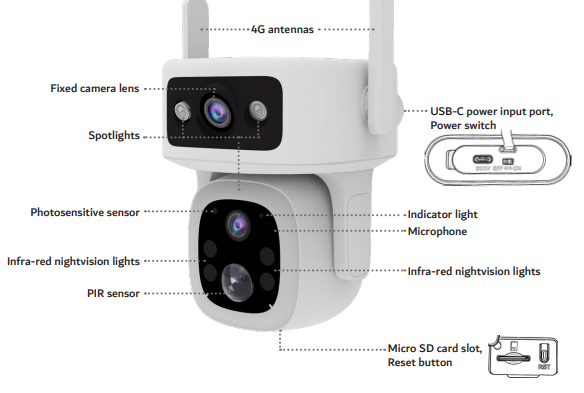
- Press and hold the reset button on the bottom of the camera.
- Keep holding until you hear a beep.
- Release the button and wait for restart.
- The blue light will flash quickly when ready to pair again.
If the camera is already linked to an account:
- Remove the device from the app first.
- Then perform the reset steps above.
The Laser Smart Home Dual Lens 4G Outdoor camera with solar panel must be reset before connecting to a new account.
Was this article helpful?
That’s Great!
Thank you for your feedback
Sorry! We couldn't be helpful
Thank you for your feedback
Feedback sent
We appreciate your effort and will try to fix the article