Question: How do I set up my Laser Smart Home 4G Outdoor Camera with solar panel?
Answer:
Model reference: LSH-4GDLN-776
Applies to: LSH-4GDLN-776
Follow these steps to set up your camera:
- Fully charge the camera using a 5V USB power source before starting.
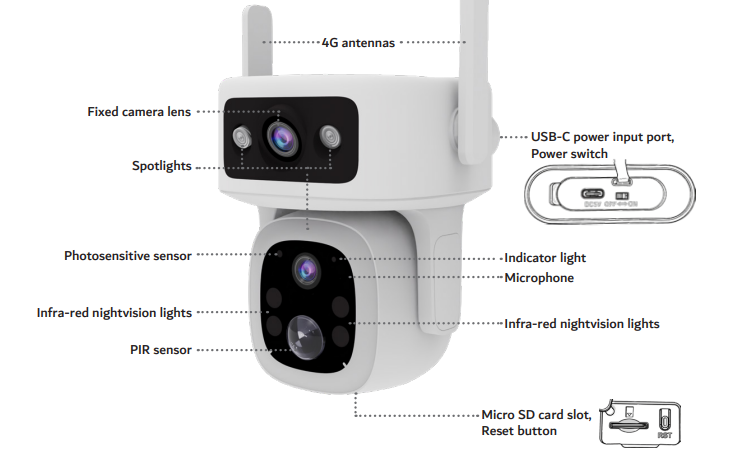
- Insert a micro SD card (up to 128GB) into the slot.
- Download the Connect SmartHome app on your phone.
- Turn the camera ON and wait for the blue LED to flash.
- Open the app, tap + and scan the QR code on the camera.
- Wait for the camera to connect and display live footage.

If setup fails, reset the camera and try again.
The Laser Smart Home Dual Lens 4G Outdoor camera with solar panel is designed for quick mobile-based setup using QR pairing.
Was this article helpful?
That’s Great!
Thank you for your feedback
Sorry! We couldn't be helpful
Thank you for your feedback
Feedback sent
We appreciate your effort and will try to fix the article