Question: How do I install apps on the projector?
Answer:
Model reference: PJ-AF450B-028
To install apps:
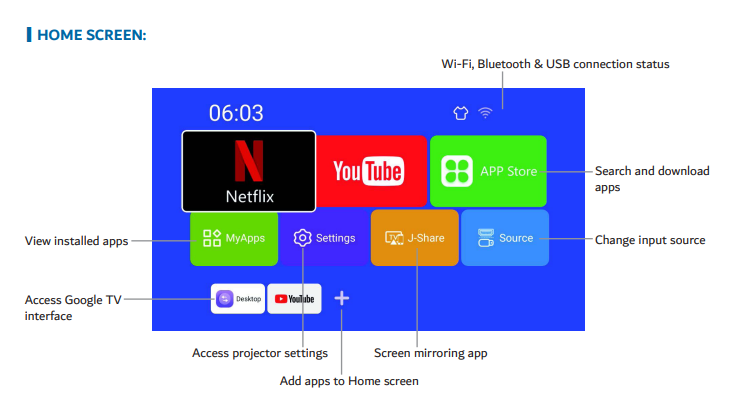
Open the App Store from the home screen.
Sign in with your Google account.
Search for the app and install it.
If the app is not available:
Try a third party Android app store.
Or install the APK manually from a USB drive.
This applies to the Full Product Name: Laser 1080p Smart Android Projector Auto Focus.
Was this article helpful?
That’s Great!
Thank you for your feedback
Sorry! We couldn't be helpful
Thank you for your feedback
Feedback sent
We appreciate your effort and will try to fix the article