Description: Using the HDMI input or playing compatible media from a USB flash drive.
Question:
How can I watch videos using HDMI or a USB drive?
Answer:
Model reference: PJ-THHW2W-268
Applies to: PJ-THHW2W-268
If your SKU differs, search our support page by your Model SKU to find the correct article.
The Laser Portable Wi-Fi LED Projector has HDMI input and USB-A media playback.
For HDMI:
1. Connect a compatible device, such as a DVD player, Blu-ray player or gaming console, with an HDMI cable.
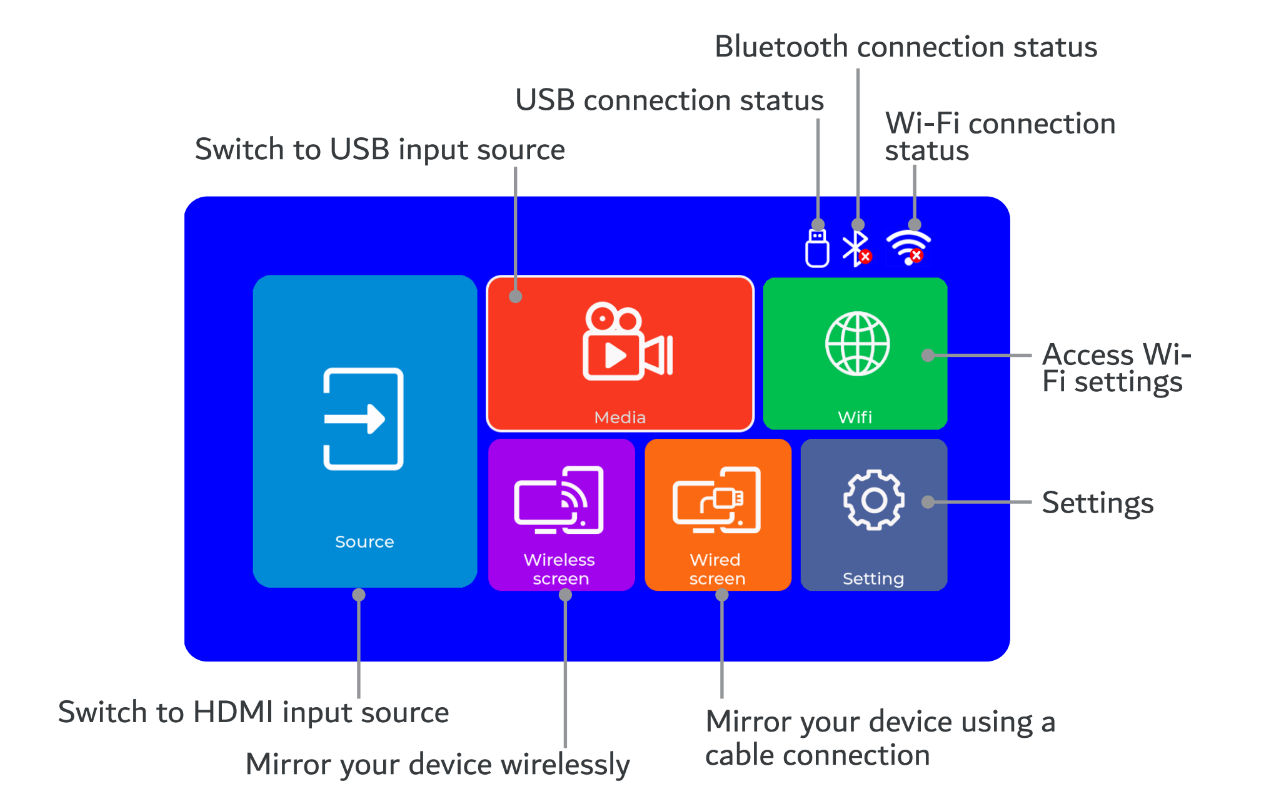
2. On the projector Home screen, choose Source > HDMI and press OK.
For USB playback:
1. Insert a compatible USB flash drive into the projector USB port.
2. Choose Source > Media on the Home screen and press OK.
The manual lists USB drives up to 128 GB and video MP4, AVI and MOV with H.264 codec, audio MP3, WMA, AAC and WAV, and images JPEG, PNG, BMP and GIF. HDMI cables are not included.
Was this article helpful?
That’s Great!
Thank you for your feedback
Sorry! We couldn't be helpful
Thank you for your feedback
Feedback sent
We appreciate your effort and will try to fix the article