Question: How do I install and use apps on my Laser Smart Portable Projector?
Answer:
Model reference: PJ-TUHA1CW-346
Applies to: PJ-TUHA1CW-346
If your SKU differs, search our support page by your Model SKU to find the correct article.
The Laser 720P HD Smart USB-C Portable Projector - White runs Android 14 AOSP.
To install an app:
1. Connect the projector to Wi-Fi.
2. Open the Google Play Store.
3. Sign in to your Google account.
4. Search for the app you want to install.
5. Select the app and follow the on-screen instructions.
If an app does not appear in the Google Play Store, it may not support this projector. You may be able to install it manually using a USB device or a third-party Android app store.
To open an installed app:
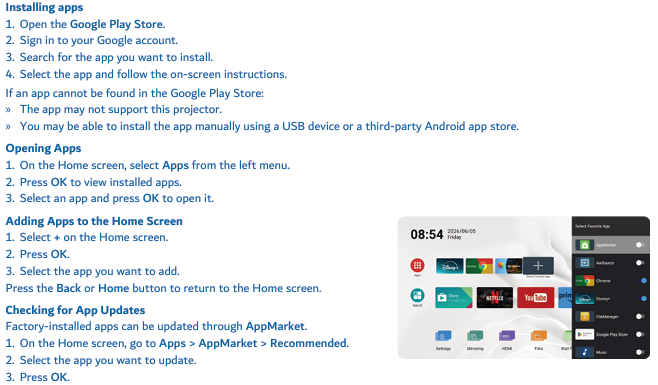
1. Select Apps from the left menu on the Home screen.
2. Press OK.
3. Select the app and press OK to open it.
Factory-installed apps can be updated through Apps > AppMarket > Recommended.
App availability and performance may vary. Some apps may require an internet connection, subscription or manual installation, and some may not function as intended.
Was this article helpful?
That’s Great!
Thank you for your feedback
Sorry! We couldn't be helpful
Thank you for your feedback
Feedback sent
We appreciate your effort and will try to fix the article