Question: How do I connect the projector to Wi-Fi?
Answer:
Model reference: PJ-AF450B-028
Follow these steps to connect to your Wi-Fi network:
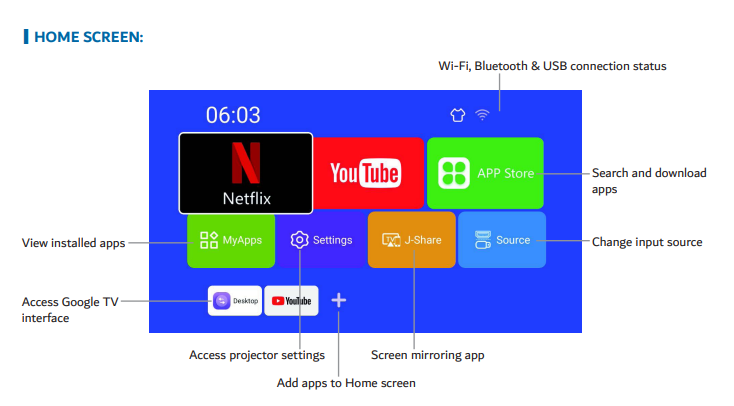
Go to Settings - Network.
Ensure WLAN is switched on.
Select your Wi-Fi name and press OK.
Enter your password using the on-screen keyboard.
Select Connect.
Tip: You can plug in a USB keyboard for easier typing.
This applies to the Full Product Name: Laser 1080p Smart Android Projector Auto Focus.
Was this article helpful?
That’s Great!
Thank you for your feedback
Sorry! We couldn't be helpful
Thank you for your feedback
Feedback sent
We appreciate your effort and will try to fix the article