Question: How do I turn on my Laser 1080p Smart Android Projector?
Answer:
Model reference: PJ-AF450B-028
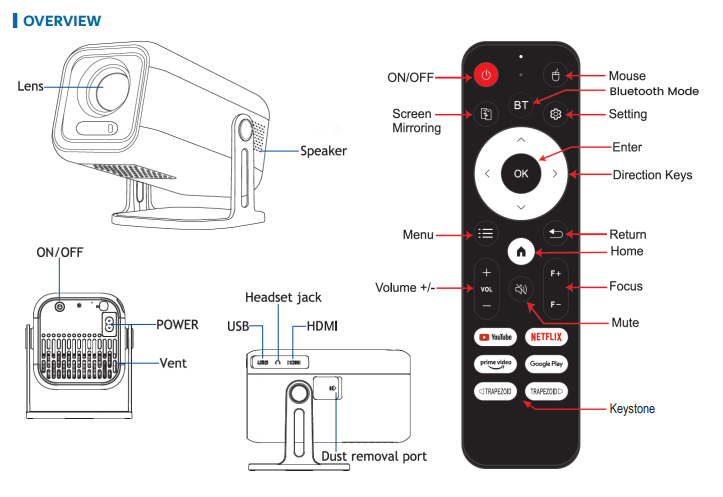
To power on the projector, follow these steps:
Place the projector on a stable surface facing your wall or screen.
Connect the AC power cable to the projector and plug it into a wall outlet.
Press the Power button on either the projector or the remote. The indicator light will turn on.
Wait a few seconds for the welcome screen to appear.
Adjust the projector position or projection distance for the right screen size.
These steps are the same for the Full Product Name: Laser 1080p Smart Android Projector Auto Focus.
Was this article helpful?
That’s Great!
Thank you for your feedback
Sorry! We couldn't be helpful
Thank you for your feedback
Feedback sent
We appreciate your effort and will try to fix the article