Question: How do I connect the Baseus Mini USB Adapter?
Answer:
Model reference: CAAOTG-01
Applies to: CAAOTG-01
If your SKU differs, search our support page by your Model SKU to find the correct article.
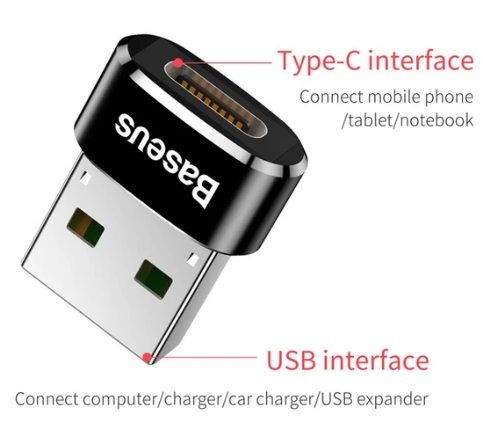
The Baseus USB-C Female to USB-A Male Adapter Black has a USB-A male plug and a USB-C female socket.
1. Insert the adapter's USB-A plug into a suitable USB-A port.
2. Insert your cable's USB-C plug into the adapter's USB-C socket.
Check that the connected equipment and cable support your intended charging or data function. This adapter fits a USB-A port and accepts a USB-C plug, so check the connector direction before purchasing.
Was this article helpful?
That’s Great!
Thank you for your feedback
Sorry! We couldn't be helpful
Thank you for your feedback
Feedback sent
We appreciate your effort and will try to fix the article