Learn how to install the PC-SA2MST-711 neon strip light with mounting clips, plan your design and avoid damaging the strip.
Question
How do I install the PC-SA2MST-711 neon strip light?
Answer
Model reference: PC-SA2MST-711
Applies to: PC-SA2MST-711
If your SKU differs, search our support page by your Model SKU to find the correct article.
Plan and test your design on a table or floor before installation. Disconnect the light from power before installing or moving it.
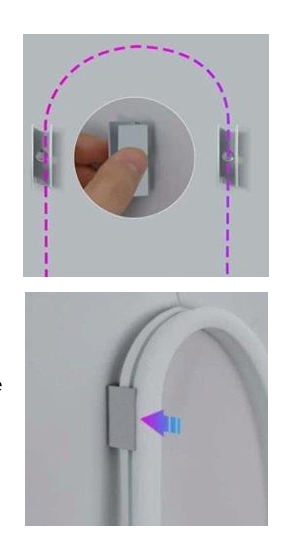
Secure the strip using the included mounting clips. The QSG recommends placing clips approximately 30 cm apart. You may also need a Phillips head screwdriver.
Do not tightly bend, fold, kink, pull, stretch or twist the strip. Keep cables clear of walkways, then connect the light to a compatible 5V USB power source.
Was this article helpful?
That’s Great!
Thank you for your feedback
Sorry! We couldn't be helpful
Thank you for your feedback
Feedback sent
We appreciate your effort and will try to fix the article