Question: What microSD card does the Laser Kids Play Phone Camera need?
Answer:
Model reference: CA-KPHNPP-117 (Purple)
Applies to: CA-KPHNPP-117
If your SKU differs, search our support page by your Model SKU to find the correct article.
The Laser Kids Play Phone with Camera and MP3 Playback - Purple needs a microSD card to store photos and videos.
microSD card requirements:
- Maximum capacity: up to 32 GB
- Required format: FAT32
- The microSD card is not included
To insert the microSD card:
1. Turn the camera off.
2. Insert the microSD card into the slot with the metal contacts facing the front of the camera.
3. Push gently until it clicks into place.
If the camera will not save photos or videos, check that the microSD card is inserted and formatted in FAT32.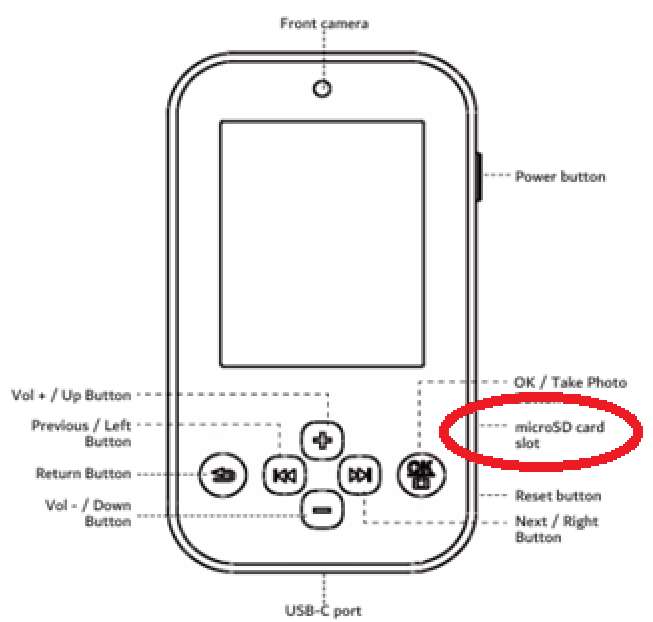
Was this article helpful?
That’s Great!
Thank you for your feedback
Sorry! We couldn't be helpful
Thank you for your feedback
Feedback sent
We appreciate your effort and will try to fix the article