Question: How do I reset the Laser 2.1CH Soundbar to factory settings?
Answer:
Model reference: SP-SB16WW-851
Applies to: SP-SB16WW-851
If your SKU differs, search our support page by your Model SKU to find the correct article.
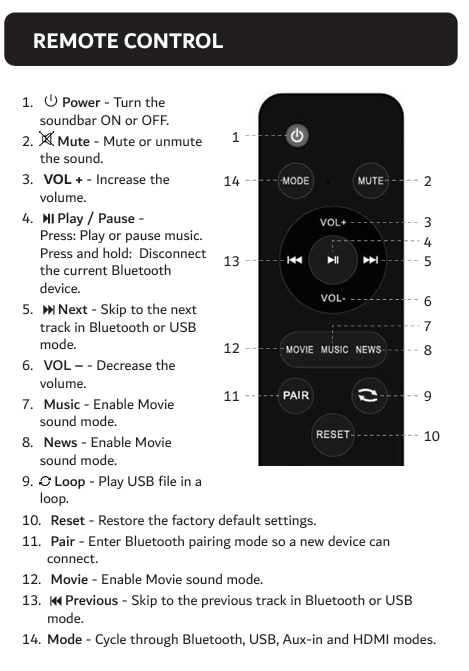
To reset the Laser 2.1CH TV Soundbar with Wired Subwoofer:
1. Press the Reset button on the remote control.
2. The soundbar will restore factory default settings.
This removes stored Bluetooth connections and settings.
After resetting, you may need to:
- Reconnect your Bluetooth device.
- Select the correct input mode again.
- Recheck your TV audio output setting if using HDMI ARC.
Was this article helpful?
That’s Great!
Thank you for your feedback
Sorry! We couldn't be helpful
Thank you for your feedback
Feedback sent
We appreciate your effort and will try to fix the article