Question: How do I install the Laser Starlink Pivot Mount?
Answer:
Model reference: PC-SLG3PI-813
Applies to: PC-SLG3PI-813
The manual gives the following installation flow for the Laser ChargeCore Starlink Gen 3 V4 Adjustable Pivot Mount:
- Choose a mounting spot with a clear view of the sky.
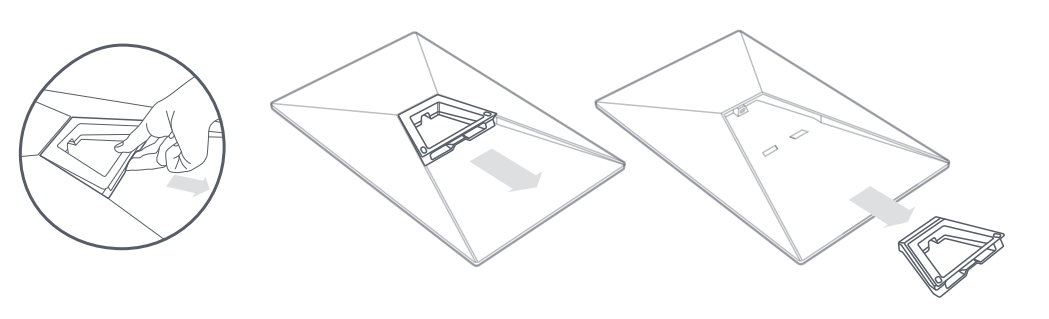
- Remove the Starlink kickstand.
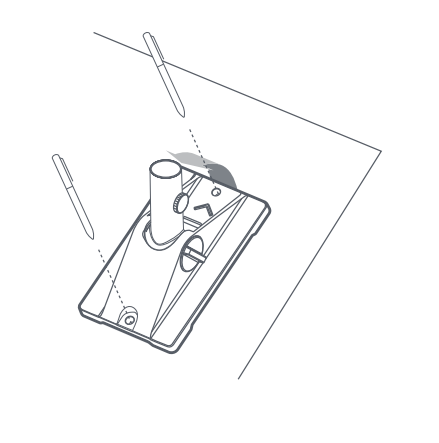
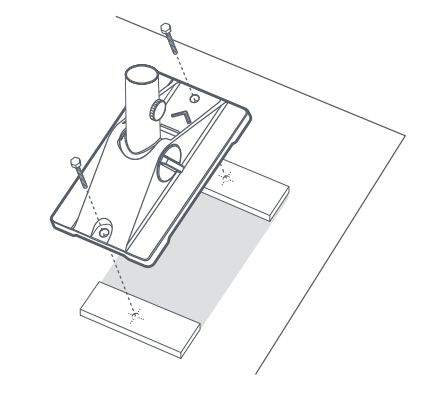
- Mark the pilot holes on the pivot mount.
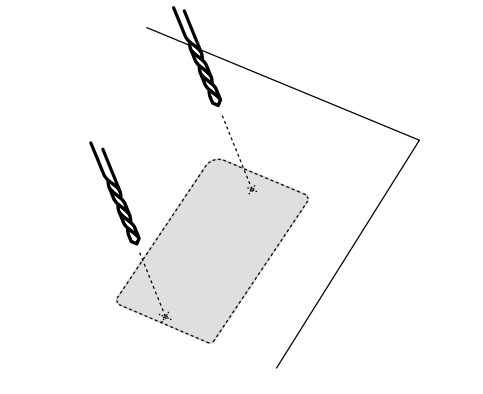
- Drill the two pilot holes using a 6 mm drill bit.
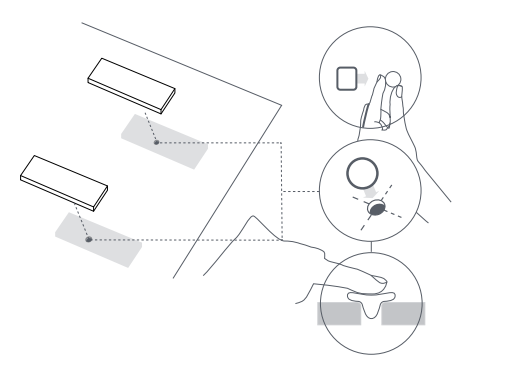
- Seal the holes and prepare the mount.
- Fix the mount base in place using the supplied screws.
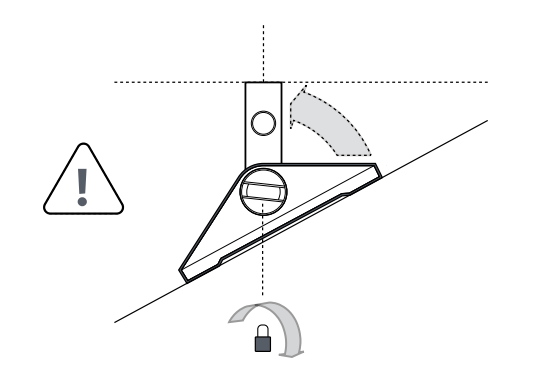
- Set the mast straight and tighten the bottom locking mechanism.
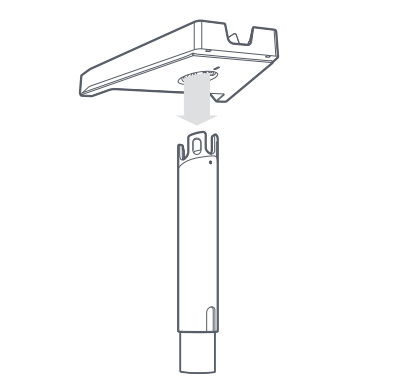
- Fit the mast base until it clicks into place.
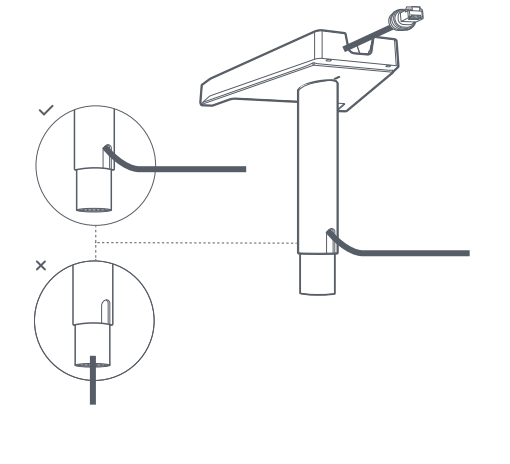
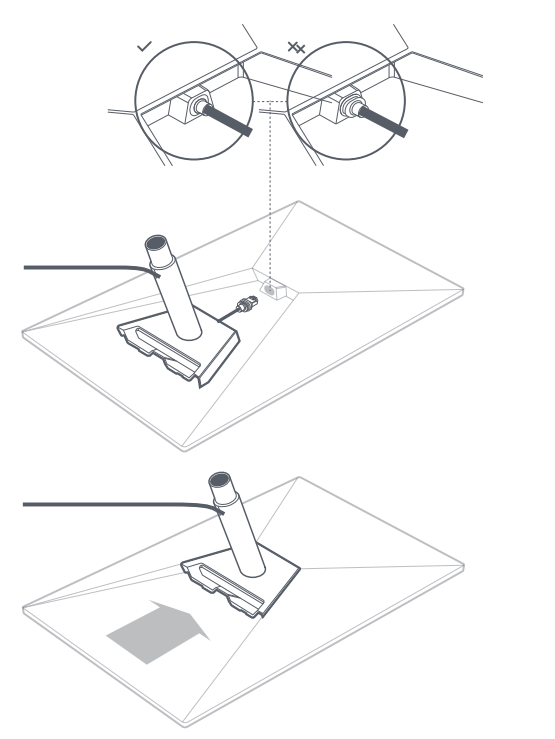
- Run the Starlink cable through the mast.
- Connect the cable and secure the mast.
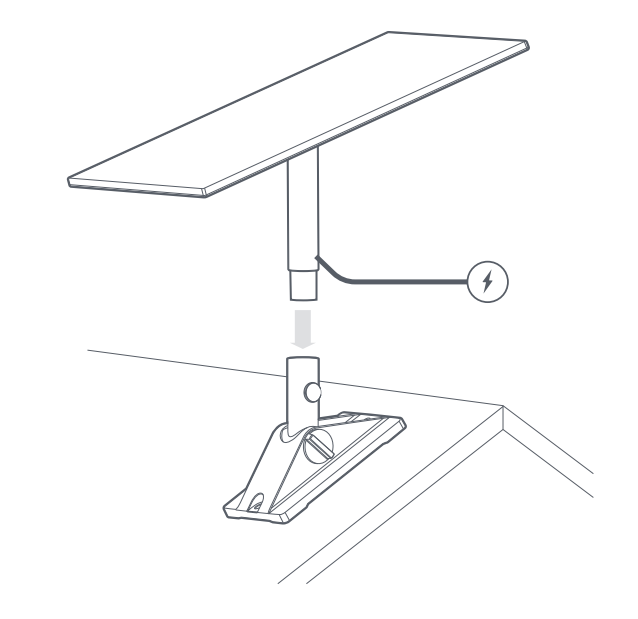
- Insert Starlink into the pivot mount.
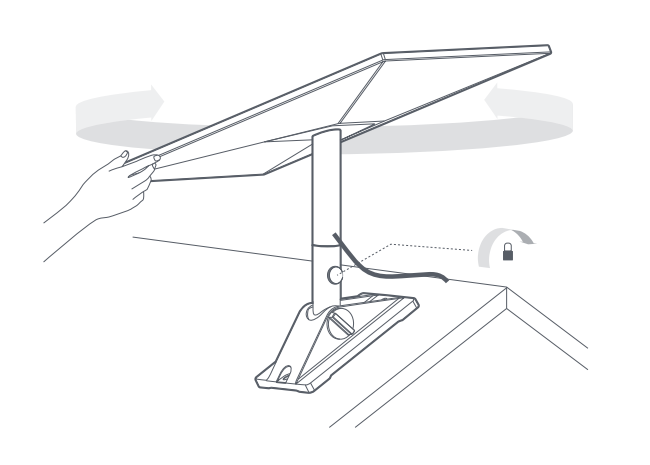
- Align and lock your Starlink.
If you are not comfortable drilling, sealing, roof mounting, or working at height, stop and contact a professional installer.
Was this article helpful?
That’s Great!
Thank you for your feedback
Sorry! We couldn't be helpful
Thank you for your feedback
Feedback sent
We appreciate your effort and will try to fix the article