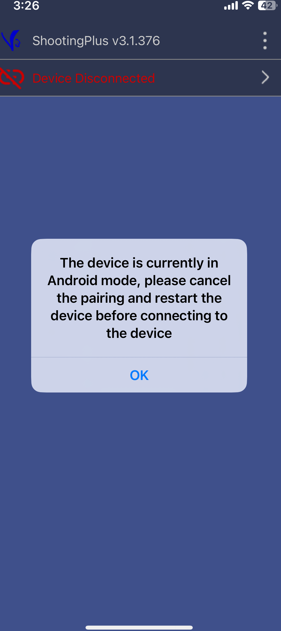
Question: Why does my controller say it is in Android mode when I am using an iPhone?
Answer:
This message appears when the controller is paired in the wrong input mode. You will need to reset the Bluetooth pairing and reconnect the controller in iOS compatible mode.
Steps to fix the Android mode message on iOS:
Open the ShootingPlus V3 app on your iPhone.
Disconnect the controller from the app, then fully close the app.
Turn off the gaming controller.
On your iPhone, go to Settings, then Bluetooth.
Find PC-PMCONL in the device list and select Forget This Device.
Turn the controller back on.
Press and hold the X-Input button until the LED indicator starts flashing red.
On your iPhone, return to Settings, then Bluetooth.
Select XBOX Wireless Controller from the available devices to connect.
Once connected successfully, the LED light will stay solid.
These steps apply to the Laser Gaming Controller for Mobile Devices.
Was this article helpful?
That’s Great!
Thank you for your feedback
Sorry! We couldn't be helpful
Thank you for your feedback
Feedback sent
We appreciate your effort and will try to fix the article