Description: Connecting a Windows computer with the built-in Cast shortcut.
Question:
How do I mirror a Windows laptop or PC wirelessly?
Answer:
Model reference: PJ-THHW2W-268
Applies to: PJ-THHW2W-268
If your SKU differs, search our support page by your Model SKU to find the correct article.
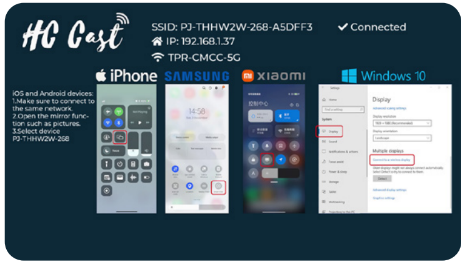
To mirror a Windows laptop or PC to the Laser Portable Wi-Fi LED Projector:
1. On the projector Home screen, open Wireless Screen and note its displayed name.
2. Connect the Windows computer to the same Wi-Fi network as the projector.
3. Press the Windows key + K on the computer to open Cast.
4. Select the projector name and wait for the connection.
The computer display should appear on the projector. If it does not, first check that both devices are on the same Wi-Fi network.
Was this article helpful?
That’s Great!
Thank you for your feedback
Sorry! We couldn't be helpful
Thank you for your feedback
Feedback sent
We appreciate your effort and will try to fix the article