Description: Steps for sharpening the picture and correcting a distorted projector image.
Question:
How can I fix a blurry or trapezoid-shaped picture?
Answer:
Model reference: PJ-THHW2W-268
Applies to: PJ-THHW2W-268
If your SKU differs, search our support page by your Model SKU to find the correct article.
To improve the picture on the Laser Portable Wi-Fi LED Projector:
1. Rotate the focus wheel on top of the projector until the picture looks sharp.
2. If it is still blurry, try moving the projector closer to or farther from the projection surface.
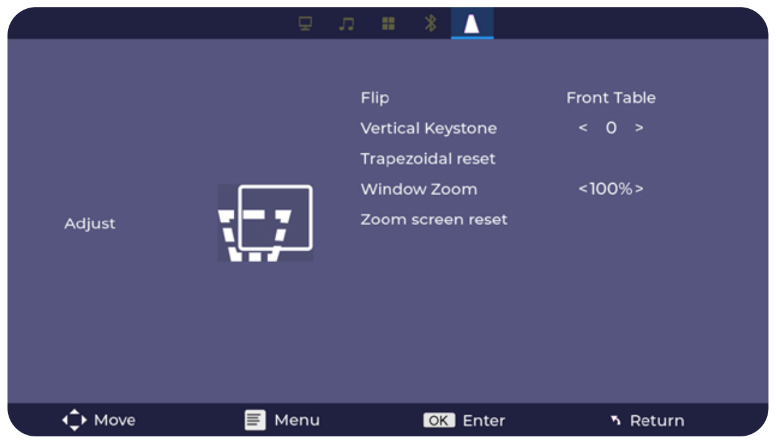
3. If the picture is trapezoid-shaped, open Settings > Adjust > Vertical Keystone.
4. Use the left or right buttons on the remote to make the picture rectangular.
5. If needed, select Trapezoidal reset and press OK to restore the default keystone setting.
For the best result, position the projector close to the centre of the screen and adjust its height or angle rather than relying only on keystone correction.
Was this article helpful?
That’s Great!
Thank you for your feedback
Sorry! We couldn't be helpful
Thank you for your feedback
Feedback sent
We appreciate your effort and will try to fix the article