Question: How do I charge the speaker, and does it support fast charging?
Answer:
Model reference: SP-FMPOOL-251
Applies to: SP-FMPOOL-251
If your SKU differs, search our support page by your Model SKU to find the correct article.
Charge the Laser Bluetooth Pool Speaker with Fountain before first use.
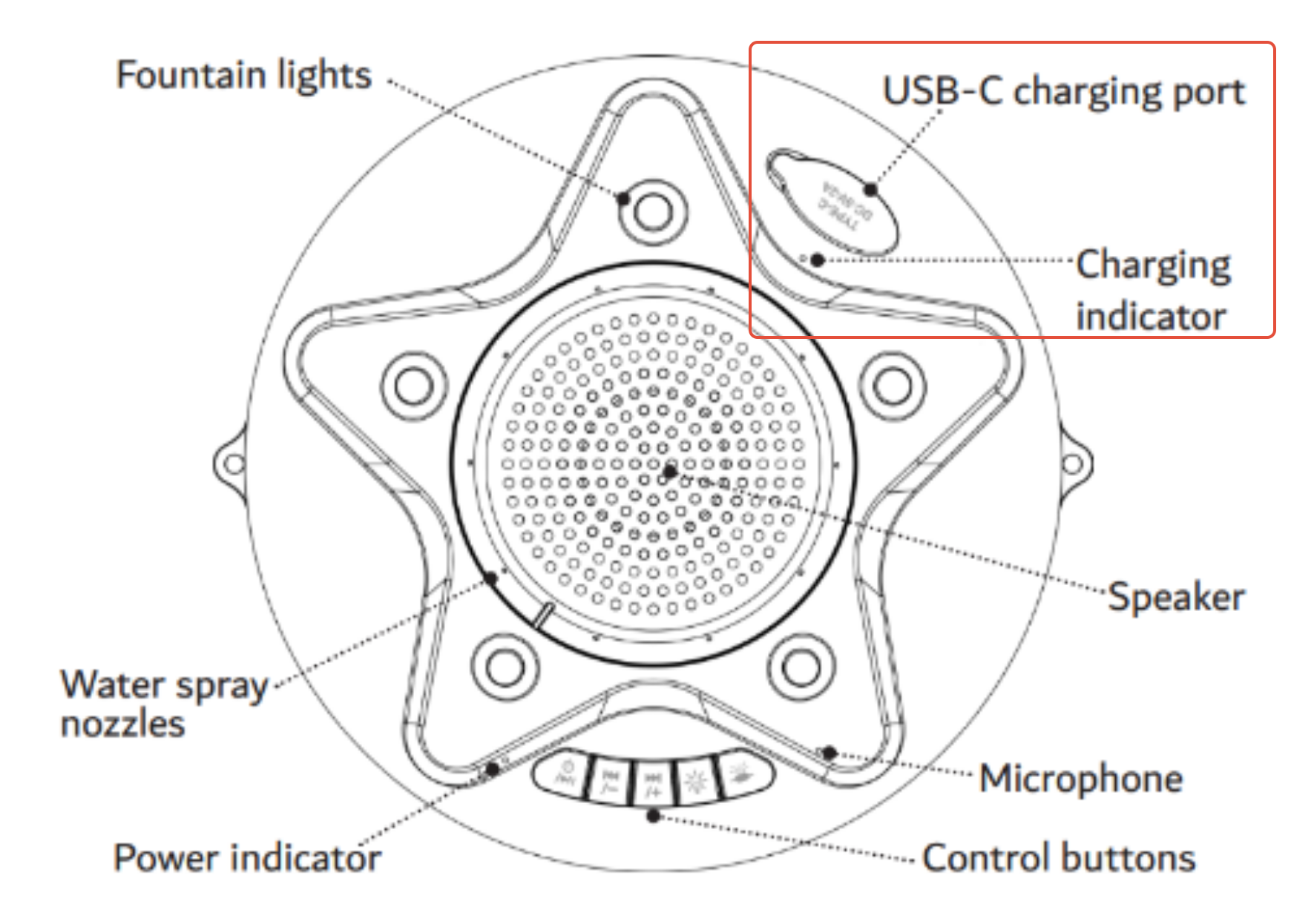
1. Remove it from the water. Check that the speaker and USB-C port are completely dry.
2. Connect the included USB-A to USB-C cable to the speaker and a 5V, 2A USB power source. A power adaptor is not included.
3. The charging indicator glows red while charging and turns off when fully charged. A full charge takes about seven hours.
Do not use the speaker while charging or leave it charging unattended for long periods.
The manual permits a USB-C PD charger, but the speaker does not support PD fast charging, so charging speed will not improve. Use the supplied charging cable and the specified 5V, 2A supply.
The battery is rated 3.6V / 10,000mAh.
Was this article helpful?
That’s Great!
Thank you for your feedback
Sorry! We couldn't be helpful
Thank you for your feedback
Feedback sent
We appreciate your effort and will try to fix the article