Question: How do I play files from a USB device?
Answer:
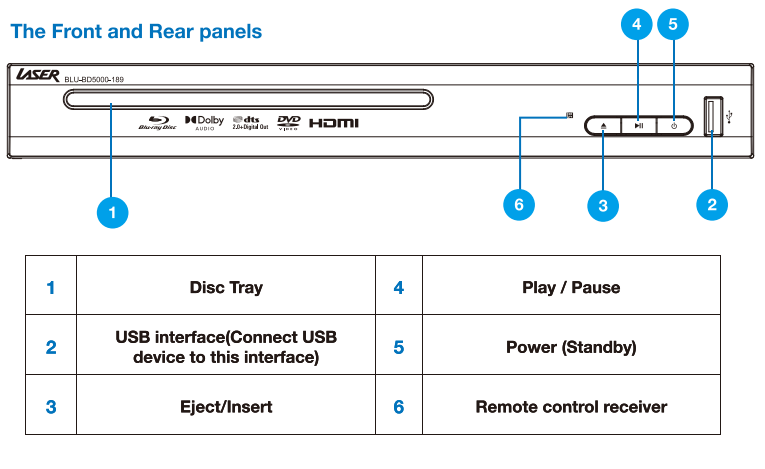
Insert a USB flash drive into the USB port on the front panel.
Use the remote control to open the Media Center menu.
Select the type of file you want to play such as photo, music, or movie.
Navigate to the file and press OK to start playback.
USB devices should be formatted in FAT or FAT32. Some USB hard drives may require external power.
This feature is available on the Laser Blu Ray Player Multi Region HDMI.
Was this article helpful?
That’s Great!
Thank you for your feedback
Sorry! We couldn't be helpful
Thank you for your feedback
Feedback sent
We appreciate your effort and will try to fix the article