Question: How do I install batteries in the remote control?
Answer:
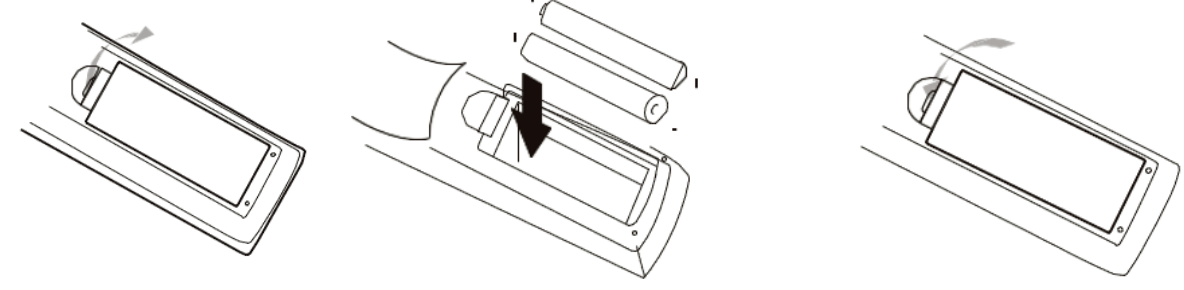
Open the battery cover on the back of the remote.
Insert two AAA batteries, matching the plus and minus symbols.
Close the battery cover.
Point the remote toward the front of the player when using it.
This remote is supplied with the Laser Blu Ray Player Multi Region HDMI.
Was this article helpful?
That’s Great!
Thank you for your feedback
Sorry! We couldn't be helpful
Thank you for your feedback
Feedback sent
We appreciate your effort and will try to fix the article