Question: How do I use the USB outputs on the NRGVault 150W Power Station?
Answer:
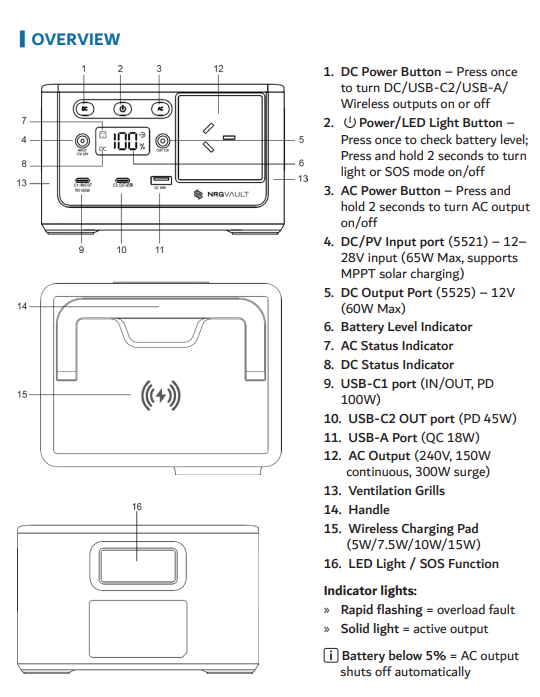
USB-C1 output:
Connect your device to the USB-C1 port.
USB-C1 works without pressing the DC button.
When used alone, it can deliver up to 100W.
USB-C2 and USB-A outputs:
Press the DC Power Button once to activate these ports.
When the DC button is ON, all USB outputs become active.
When multiple devices are connected, power is shared automatically across outputs.
This applies to the NRGVault 150W Portable Power Station Black.
Was this article helpful?
That’s Great!
Thank you for your feedback
Sorry! We couldn't be helpful
Thank you for your feedback
Feedback sent
We appreciate your effort and will try to fix the article