How do I factory reset my Smart Android LED Projector?
Answer:
Model reference: PJ-TUFHA5-072
You can perform a factory reset directly from the projector’s system settings menu.
Follow these steps carefully:
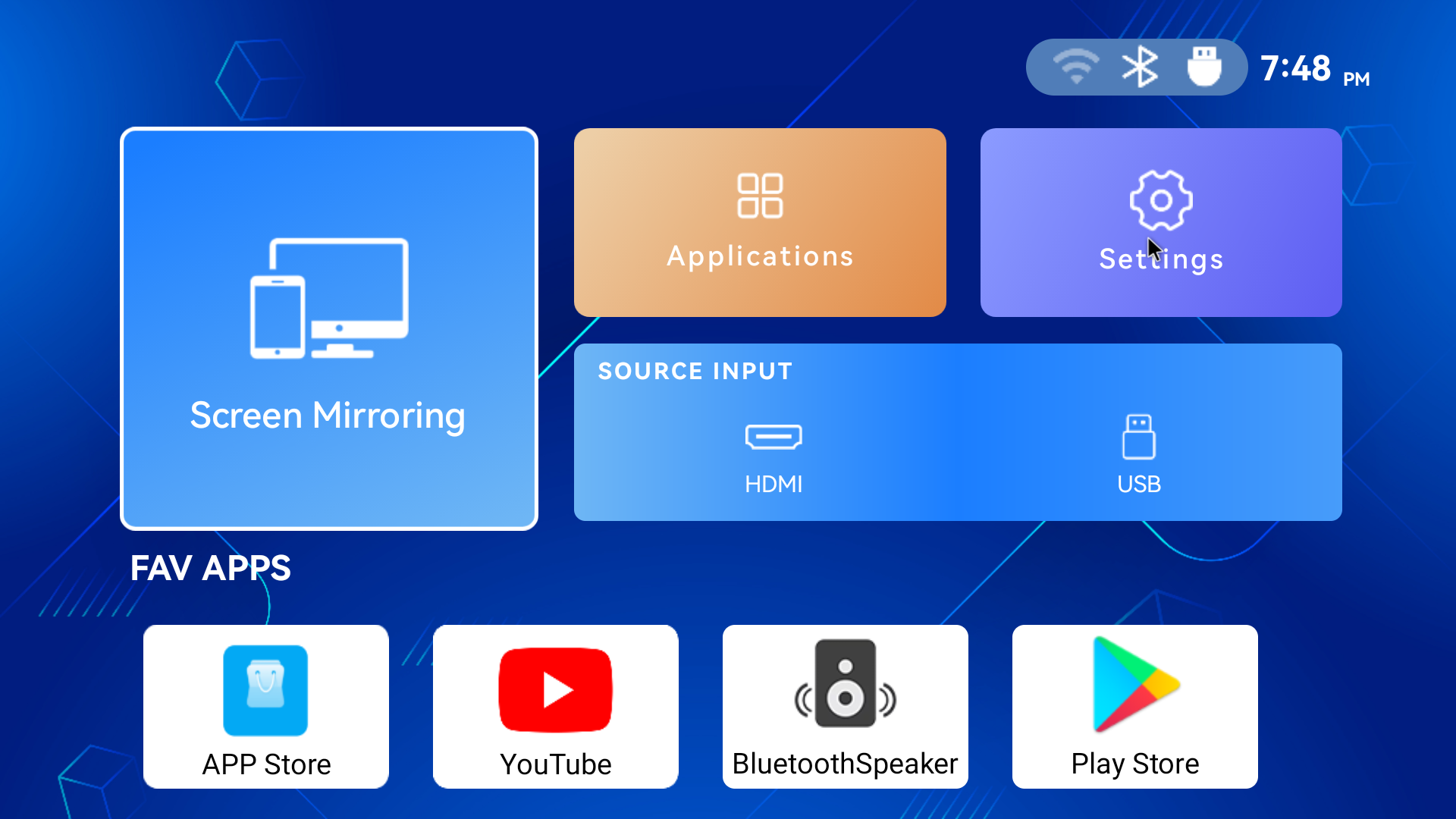
From the home screen, select Settings.
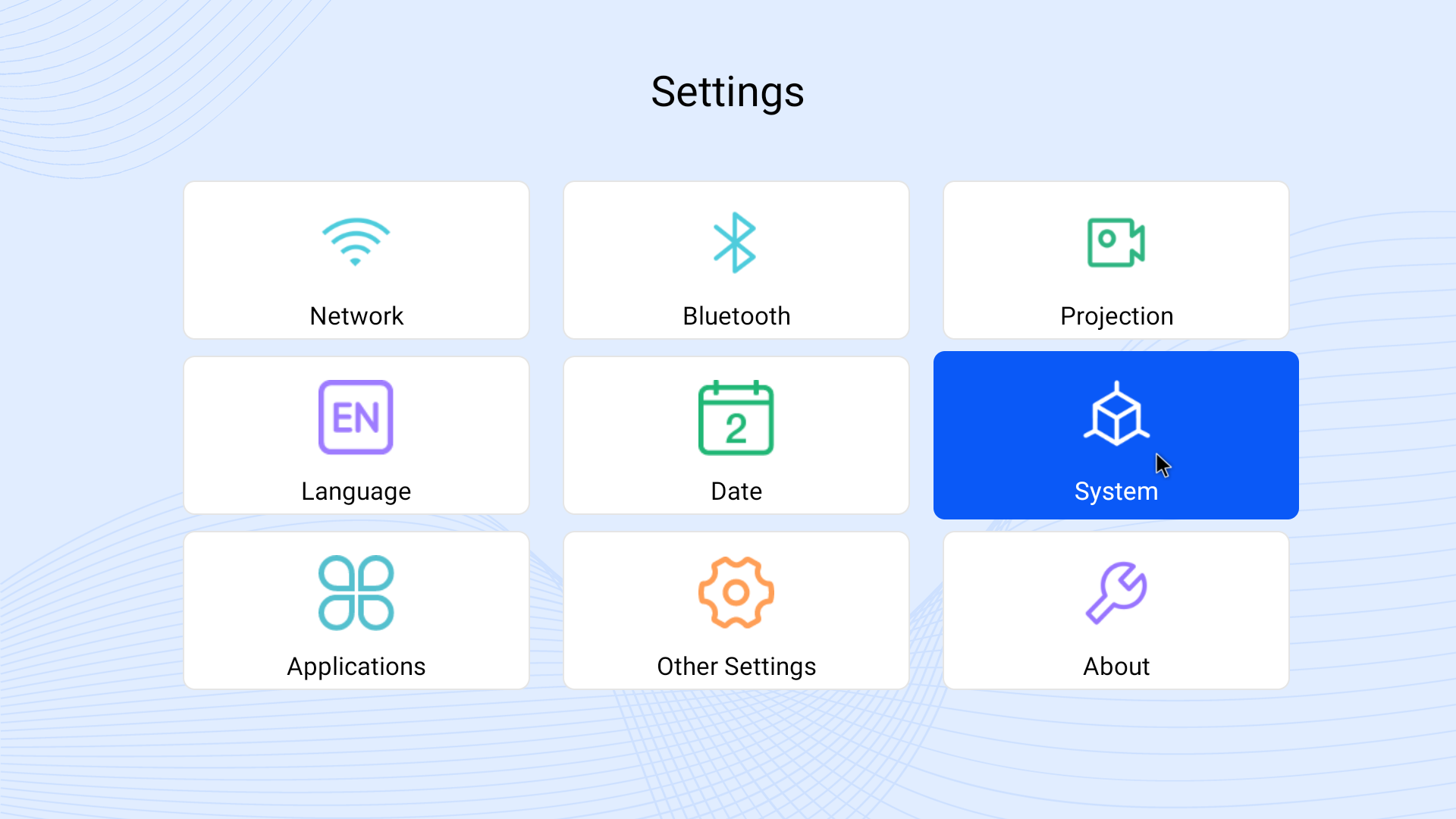
Open System.
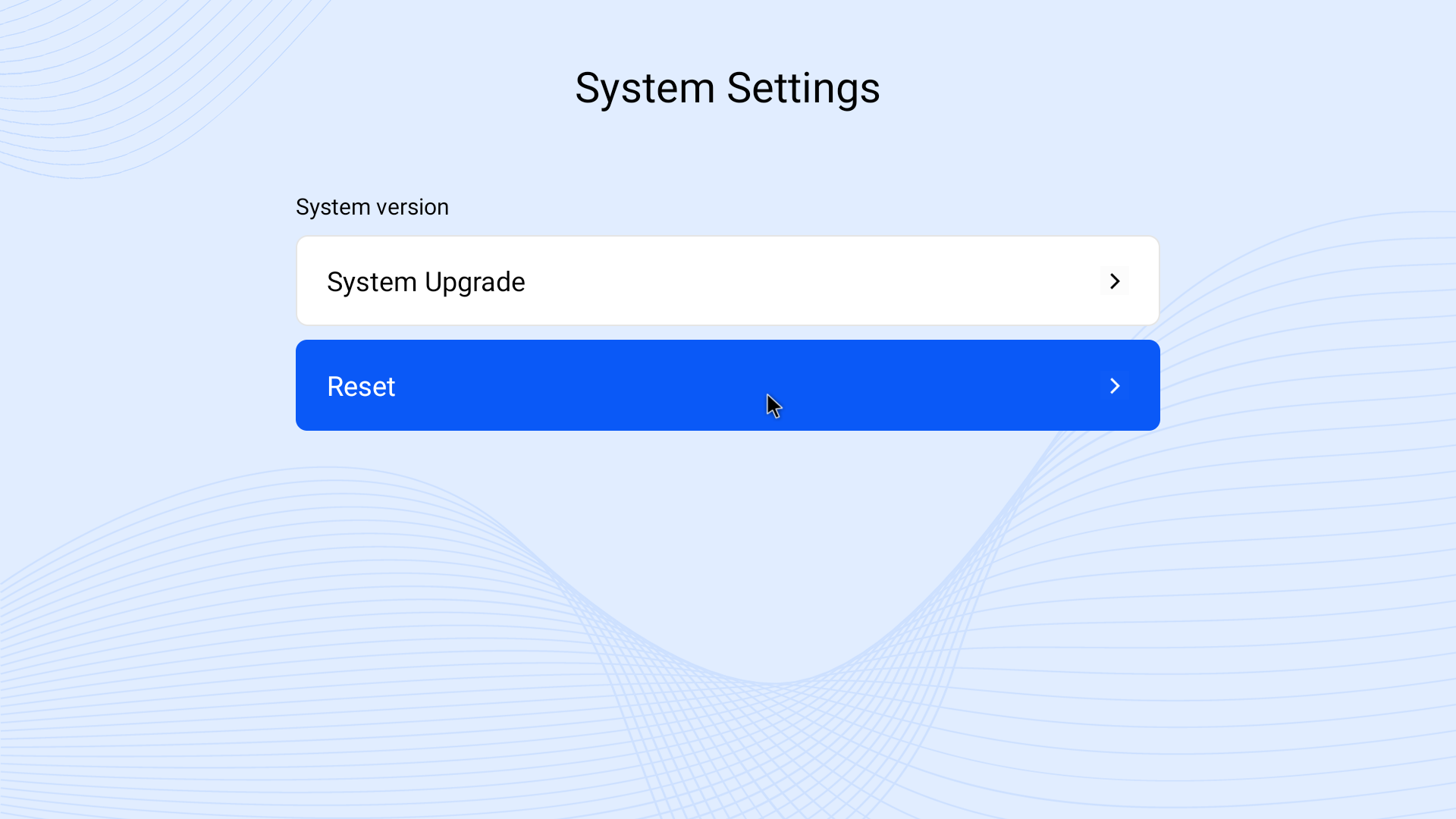
Select Reset.
Confirm the reset when prompted.
The projector will restart and return to its original factory settings.
A factory reset will erase installed apps, saved Wi-Fi networks, and customised settings.
This process applies to the Laser Smart Android LED Projector with Battery 1080p.
Was this article helpful?
That’s Great!
Thank you for your feedback
Sorry! We couldn't be helpful
Thank you for your feedback
Feedback sent
We appreciate your effort and will try to fix the article