Question: How do I connect external devices like HDMI or speakers?
Answer:
Model reference: PJ-AF450B-028
You can connect devices in several ways:
HDMI Input
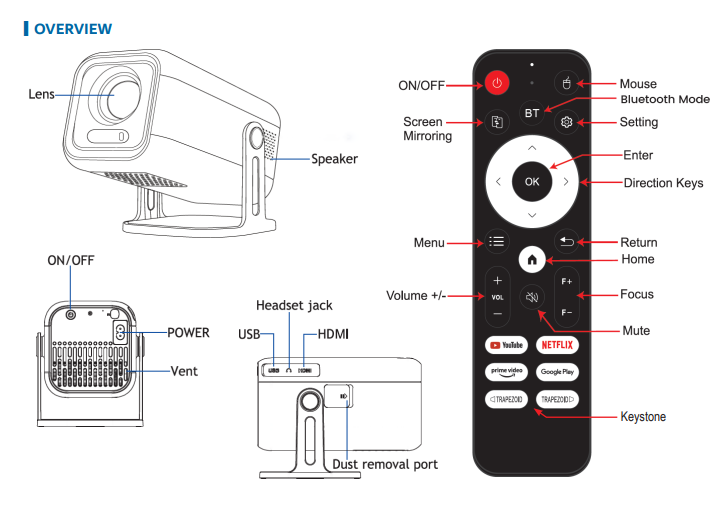
Plug an HDMI cable into the HDMI port on the projector.
On the home screen, go to Source - HDMI.
Bluetooth Speaker
Put your speaker in Bluetooth pairing mode.
Go to Settings - Bluetooth.
Select your speaker from the list.
AUX Speaker (wired)
Plug a 3.5mm cable into the Headphone port.
Applies to the Full Product Name: Laser 1080p Smart Android Projector Auto Focus.
Was this article helpful?
That’s Great!
Thank you for your feedback
Sorry! We couldn't be helpful
Thank you for your feedback
Feedback sent
We appreciate your effort and will try to fix the article