Question: How do I connect the Laser Smart Gaming Projector to Wi-Fi?
Answer:
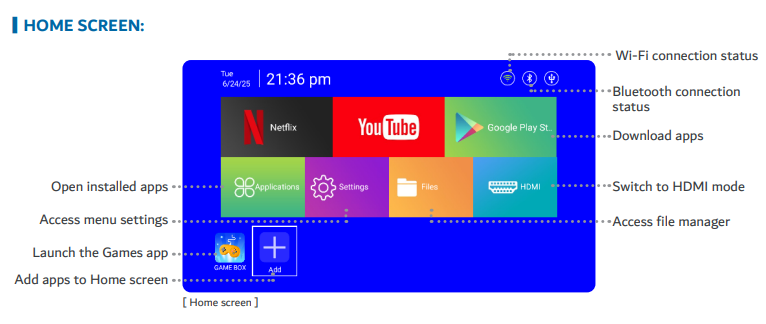
To connect to Wi Fi, follow the steps in the manual :
Go to Settings.
Networking Setting.
Wi Fi Setting.
Make sure Wi Fi is enabled.
Select your network.
Enter your password using the remote or a USB keyboard.
Select Connect.
Was this article helpful?
That’s Great!
Thank you for your feedback
Sorry! We couldn't be helpful
Thank you for your feedback
Feedback sent
We appreciate your effort and will try to fix the article