Question: How do I adjust the focus on the Laser Smart Gaming Projector?
Answer:
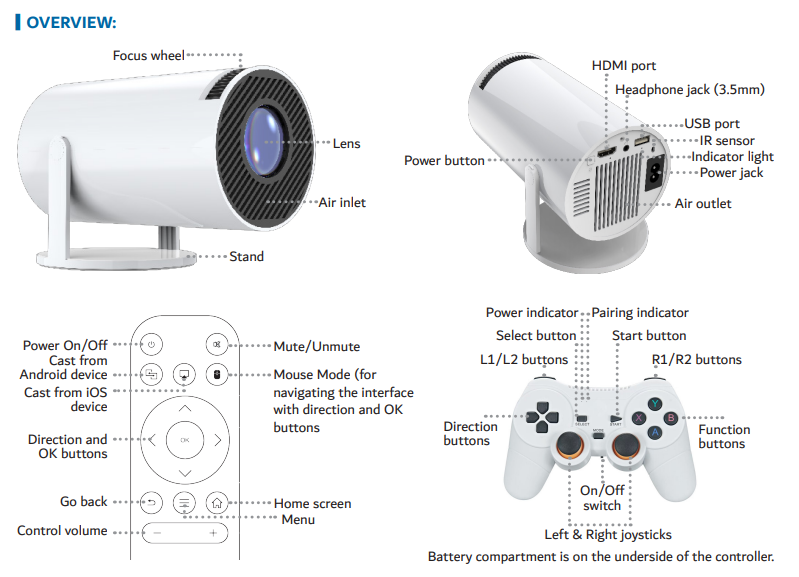
You can manually adjust the focus using the physical focus wheel located next to the lens. The manual explains :
Steps:
Turn the focus wheel slowly until the projected image appears sharp.
If clarity is still poor, move the projector closer or further from the screen.
Mention once for SEO: Laser Smart Projector with Games White.
Was this article helpful?
That’s Great!
Thank you for your feedback
Sorry! We couldn't be helpful
Thank you for your feedback
Feedback sent
We appreciate your effort and will try to fix the article