Description: Check the headset connection, microphone, fit adjustment and volume control.
Question: How does the headset connect and what controls does it have?
Answer:
Model reference: KBX-BDL26-503
Applies to: KBX-BDL26-503
If your SKU differs, search our support page by your Model SKU to find the correct article.
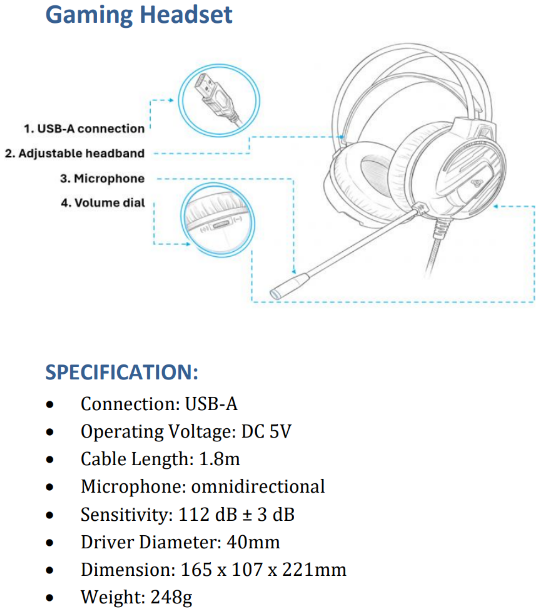
The headset in the Laser 4-in-1 RGB Gaming Keyboard and Mouse Bundle uses a USB-A connection for stereo audio and has a boom microphone. It does not use a 3.5 mm audio plug.
- Connect the headset using its USB-A plug.
- Adjust the headband to suit your fit.
- Use the headset volume dial to adjust the listening level.
The headset has cushioned over-ear earcups, 40 mm drivers, an omnidirectional microphone and a 1.8 m cable.
Supported operating systems and console compatibility: [Not specified in sources]. Do not assume compatibility from the USB-A plug alone.
Was this article helpful?
That’s Great!
Thank you for your feedback
Sorry! We couldn't be helpful
Thank you for your feedback
Feedback sent
We appreciate your effort and will try to fix the article