Question: How do I pair my phone, tablet or laptop with the Laser Mini RGB Karaoke Speaker?
Answer:
Model reference: SP-KA30BL-868 (Blue), SP-KA30PK-875 (Pink)
Applies to: SP-KA30BL-868, SP-KA30PK-875
If your SKU differs, search our support page by your Model SKU to find the correct article.
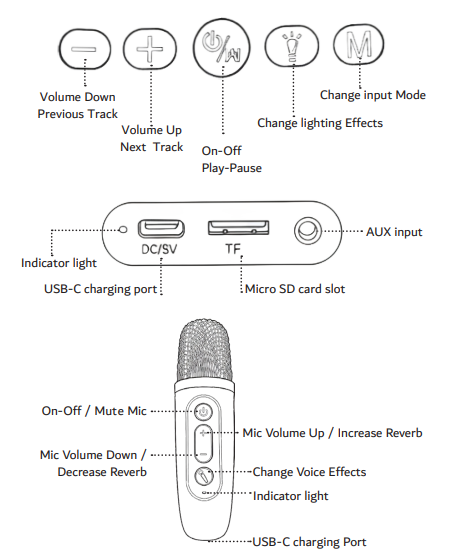
To pair the Laser Mini RGB Karaoke Speaker with 2 Wireless Microphone - Blue and Pink variants:
- Turn on the speaker.
- Open the Bluetooth settings on your phone, tablet or laptop.
- Select SP-KA30 from the list.
- Start playback on your device.
The flashing blue light means the speaker is not paired. A steady blue light means the speaker is paired.
To disconnect, turn off your device or turn off the speaker.
Was this article helpful?
That’s Great!
Thank you for your feedback
Sorry! We couldn't be helpful
Thank you for your feedback
Feedback sent
We appreciate your effort and will try to fix the article