Question: What MicroSD card does the Laser Compact Digital Camera need?
Answer:
Model reference: CA-DC26BK-506
Applies to: CA-DC26BK-506
If your SKU differs, search our support page by your Model SKU to find the correct article.
The camera requires a MicroSD card to save photos and videos. The card is not included.
Use a card with the following specifications:
- Card type: MicroSD
- Minimum speed class: Class 10 or C10
- Maximum supported capacity: 64GB
To insert and prepare the card:
1. Turn the camera off before inserting or removing the card.
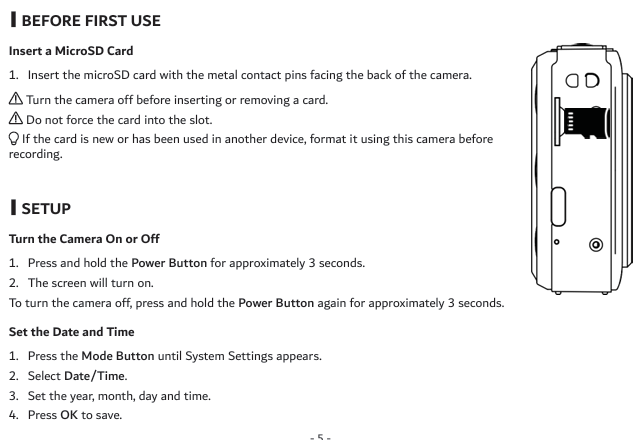
2. Insert the MicroSD card with its metal contact pins facing the back of the camera.
3. Do not force the card into the slot.
4. If the card is new or has been used in another device, open System Settings and format it using the camera before recording.
The Laser Compact Digital Still Camera - Black does not support the 128GB capacity stated in some earlier product copy. Follow the confirmed 64GB maximum shown in the product manual and packaging.
Was this article helpful?
That’s Great!
Thank you for your feedback
Sorry! We couldn't be helpful
Thank you for your feedback
Feedback sent
We appreciate your effort and will try to fix the article