Question: How do I charge the powerbank?
Answer:
Model reference: PB-LP20BK-585
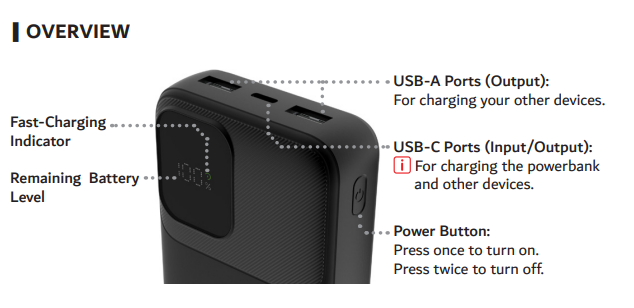
Connect the powerbank to a USB power source using the USB-C port.
The display turns on automatically when charging starts.
For best results, charge through USB-C using a 5V/2A or higher rated adaptor.
Use a certified power adaptor with the RCM mark when charging.
Unplug the powerbank once it is fully charged.
This guidance applies to the full product name Laser 20K LifePO4 Powerbank Black.
Was this article helpful?
That’s Great!
Thank you for your feedback
Sorry! We couldn't be helpful
Thank you for your feedback
Feedback sent
We appreciate your effort and will try to fix the article