Question: How do I switch on or change the RGB lighting on the power bank?
Answer:
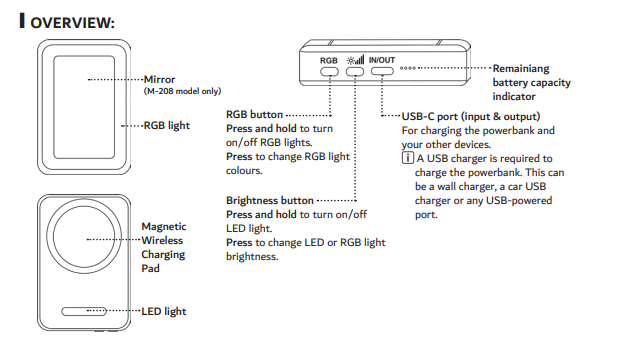
The Laser 5000mAh Magnetic Power Bank Mirror RGB (Full Product Name) includes RGB lighting that can be controlled using the RGB button.
Steps:
Press and hold the RGB button to turn the RGB lights on or off.
Press the button once to cycle through different RGB colours.
Model reference: PB-5MLEDM-208
Was this article helpful?
That’s Great!
Thank you for your feedback
Sorry! We couldn't be helpful
Thank you for your feedback
Feedback sent
We appreciate your effort and will try to fix the article